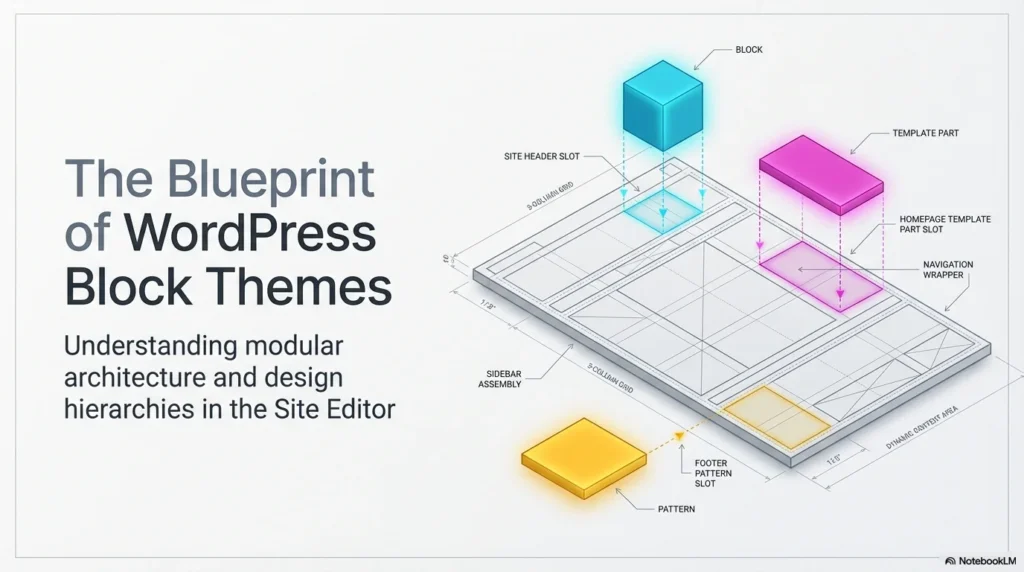
Understanding the WordPress block theme hierarchy is the essential “structural DNA” that separates a cluttered website from a professional, high-performing brand. By mastering how these layers interact, you can transition from simply placing elements to implementing a sophisticated design system.
The Foundation: Navigating Content Types
Expert site organization begins with distinguishing between your two primary content categories:
- Pages: These are reserved for static, timeless content such as “About Us” or “Services” pages. Because block themes offer total freedom, you can construct unique, individual layouts for every page you create.
- Posts: These are dynamic and time-based, typically used for news or blog updates. They appear in reverse chronological order and utilize categories and tags to keep your site navigation intuitive for the user.
The Design Hierarchy: From Blocks to Themes
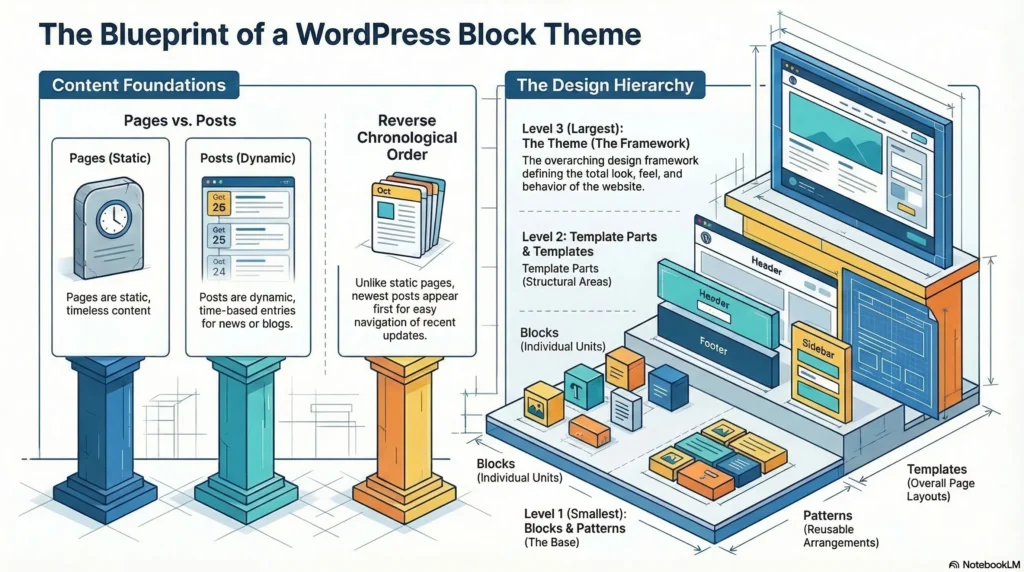
To maintain a consistent visual language, you must understand the WordPress block theme hierarchy from its smallest unit to the total framework.
- Blocks (The Foundational Units): These are the basic building blocks of your site, ranging from simple paragraphs and images to complex containers like columns and galleries.
- Block Patterns: These are pre-designed arrangements of blocks. Instead of building a “Call to Action” or “Testimonial” section from scratch, you can insert a pattern to save time and ensure brand consistency.
- Template Parts: These are reusable sections with specific semantic meanings, primarily your headers, footers, and sidebars. Editing a template part once in the site editor automatically updates it everywhere that part is used across your site.
- Templates: Templates define the overall layout for specific page types, such as how a single blog post looks compared to an archive or a 404 error page.
- Theme: The theme is the overarching design framework. it encompasses all templates, patterns, and styles to define the total look, feel, and behavior of your entire WordPress site.
Video Tutorial: Mastering Block Themes Live
To see the WordPress block theme hierarchy in action, watch this live demonstration of the site editor:
The Power of System Benefits
The true strength of this hierarchy lies in its flexibility. You have the power to customize at any level—from a single text style within a block to the global settings of the entire theme. By mastering these terms, you are no longer just “building a website”; you are implementing a professional design system that ensures your brand reflects perfectly across every page.
Conclusion: Designing with Purpose
By viewing your site through the lens of the WordPress block theme hierarchy, you gain the confidence to create structured, scalable, and beautiful websites. Whether you are inserting a single paragraph block or defining a site-wide header via template parts, understanding these relationships is the key to professional WordPress development